A new way to manage your surf bookings
Need to cancel or change a surf booking?
If your booking sits outside our 7-day cancellation policy, cancel it from your account and receive credit to use on a different date, time or session.
If the session is booked using a VALID bundle token, the token will be returned to your bundle and not given as a credit. However, if your bundle has expired since booking, you will not be able to cancel your session.
24 hour cancellation FOR EARLY BIRD 2027 BUNDLES
We’ve listened to your feedback and are now able to offer more flexibility. Every 2027 Early Bird Bundle holder, including the 20 Off Peak bundle, can cancel their booked surf up to 24 hours before their session, with the surf credited back to their bundle.
Any amendment or cancellation must be actioned by the customer via their website account. We cannot accept an email, live chat or in person as a valid amendment or cancellation request.
HOW TO CANCEL A BOOKING
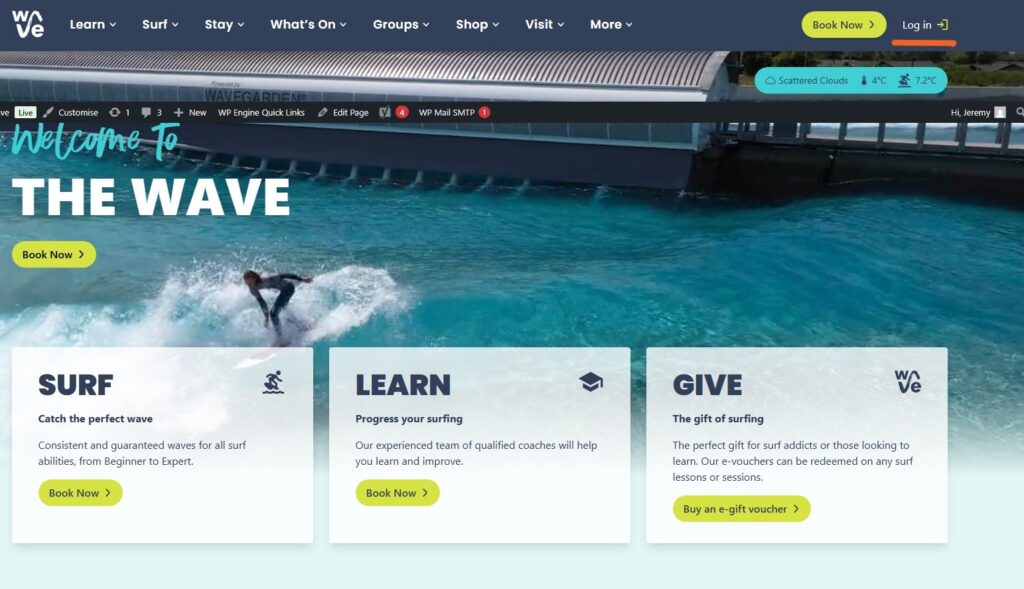
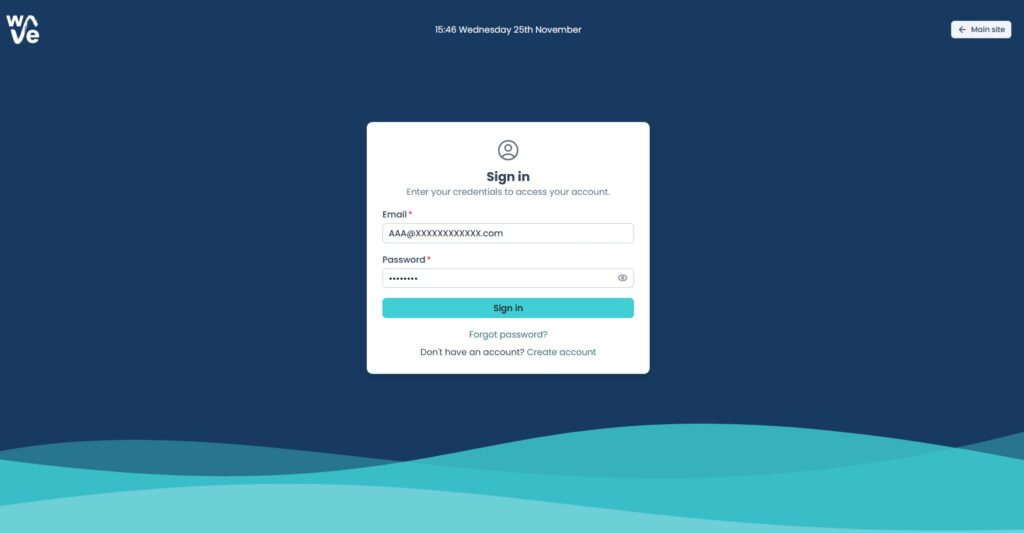
1. Log in to your account
Go to the Member login and sign in with the email address you booked with.
2. Choose the session you wish to cancel.
Click on 'My Bookings' in the 'My Account' section to see your upcoming sessions.
Find the booking you want to change and select Manage Booking. If the session is within 7 days, the option to Manage won't appear. (2027 Early Bird Surf Bundle bookings have a 24 hour cancellation window)
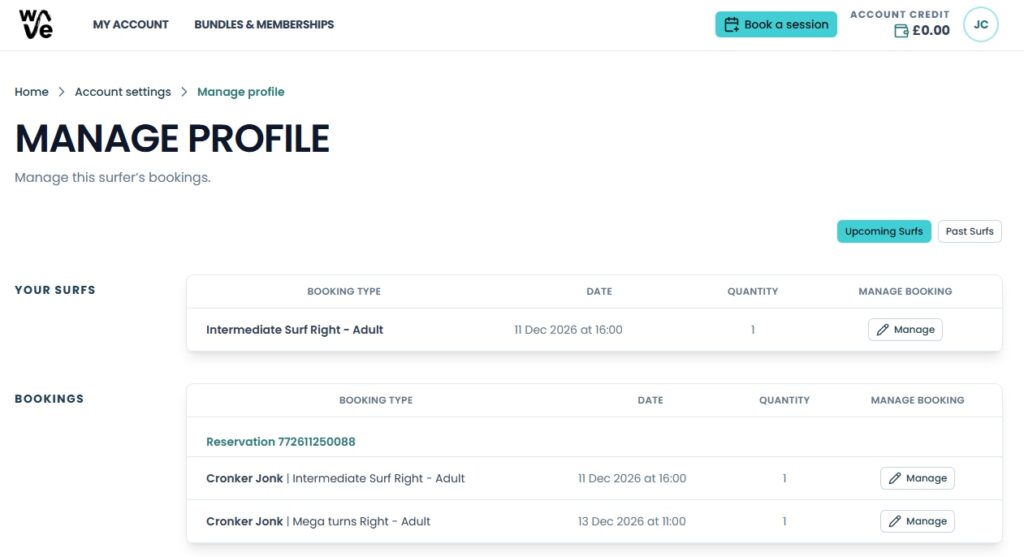
On the next screen select Cancel booking.
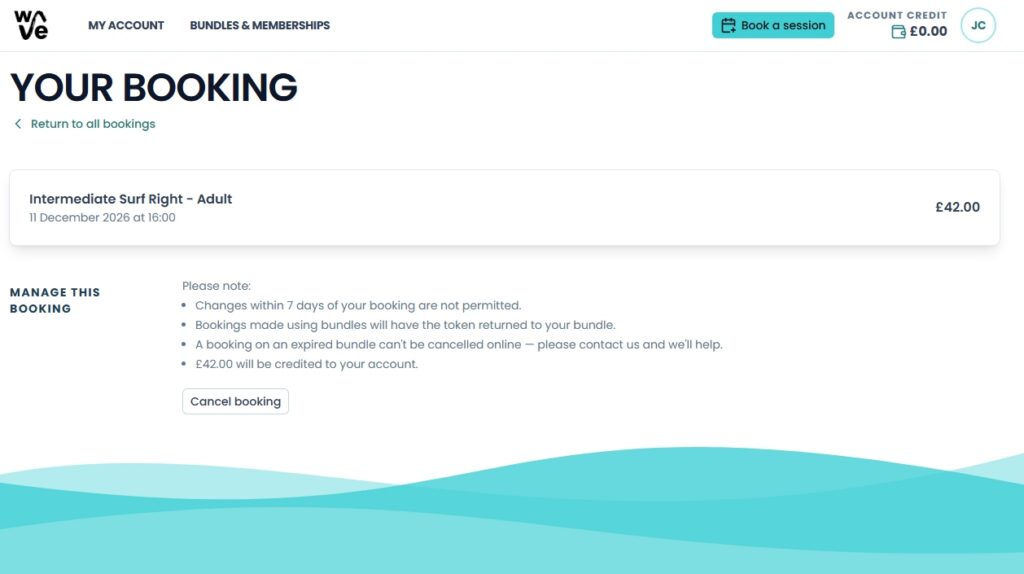
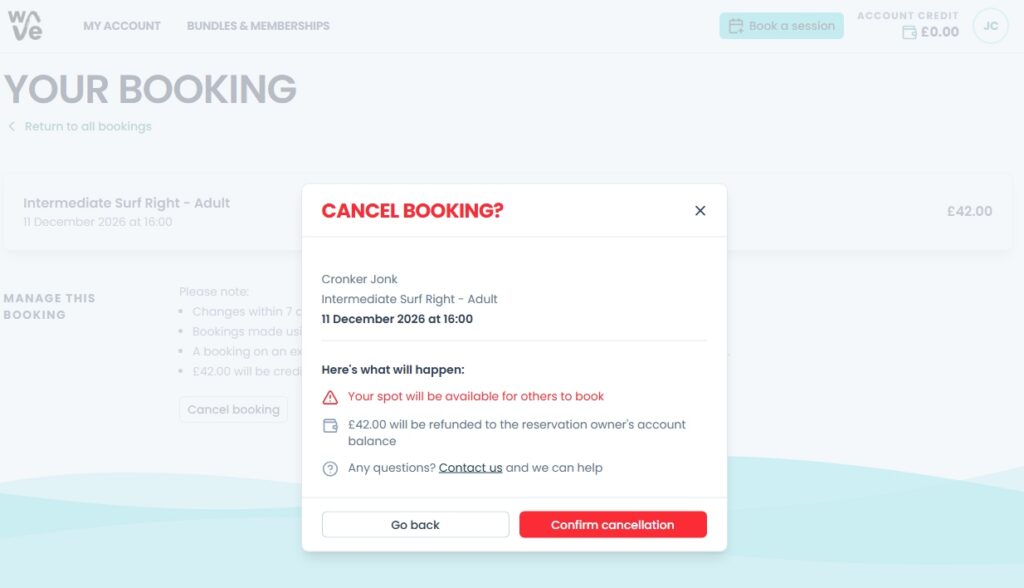
3. Confirm the cancellation.
Check the date, time and surfers on the booking, then confirm.
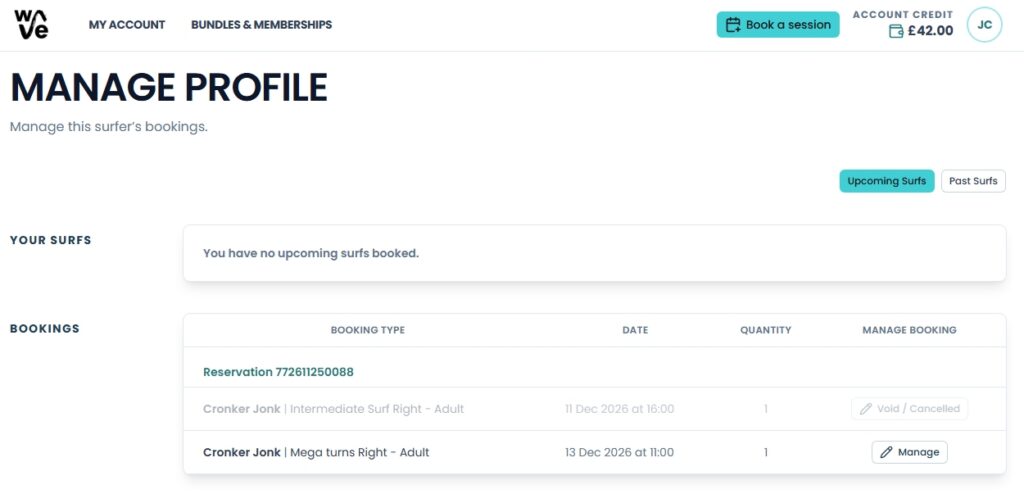
4. Check your credit on your account.
The credit is added to your account automatically and shows in My Account. If the session was booked using a bundle it will get credited back to your bundle. Check the balance of your booking has been credited back to the account on the top right of the screen.
HOW TO REBOOK USING YOUR CREDIT
1. Log in to your account
Make sure you’re signed in to the account the credit was issued to.
If you are using a bundle token, booking a session will be the same process you have used previously.
2. Choose a new session
Pick your session or lesson.
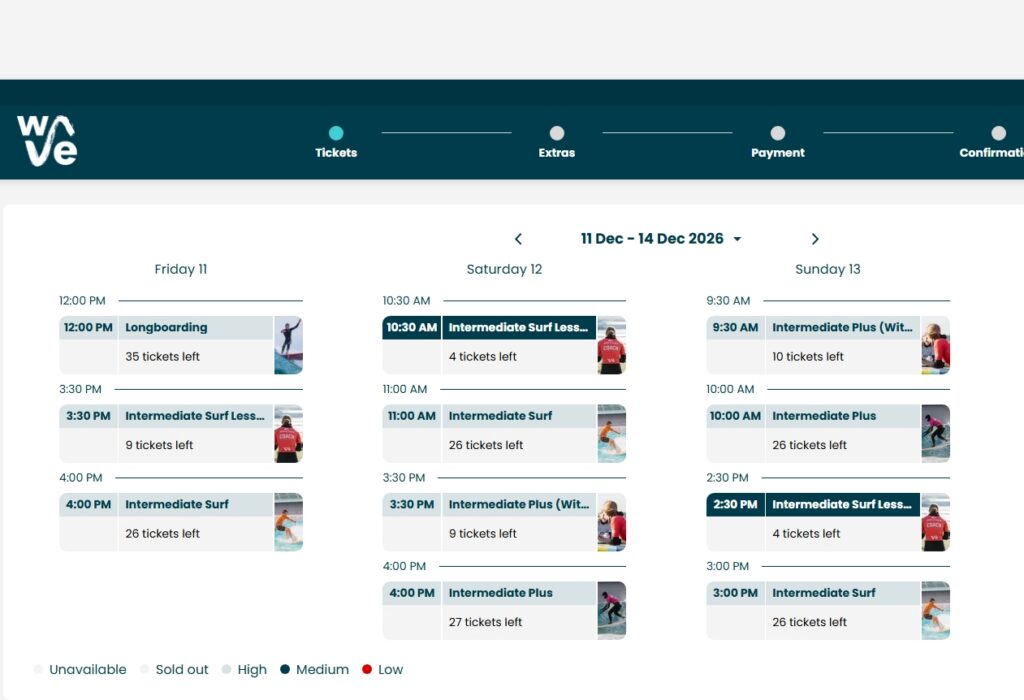
Add it to your basket.
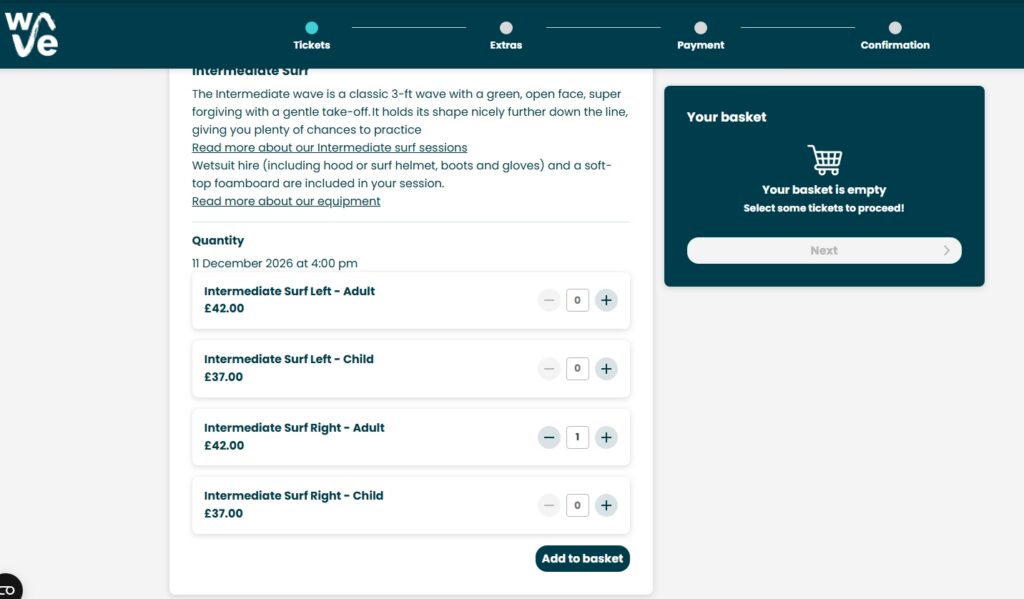
3. Apply your credit
Enter the surfer’s name and other information.
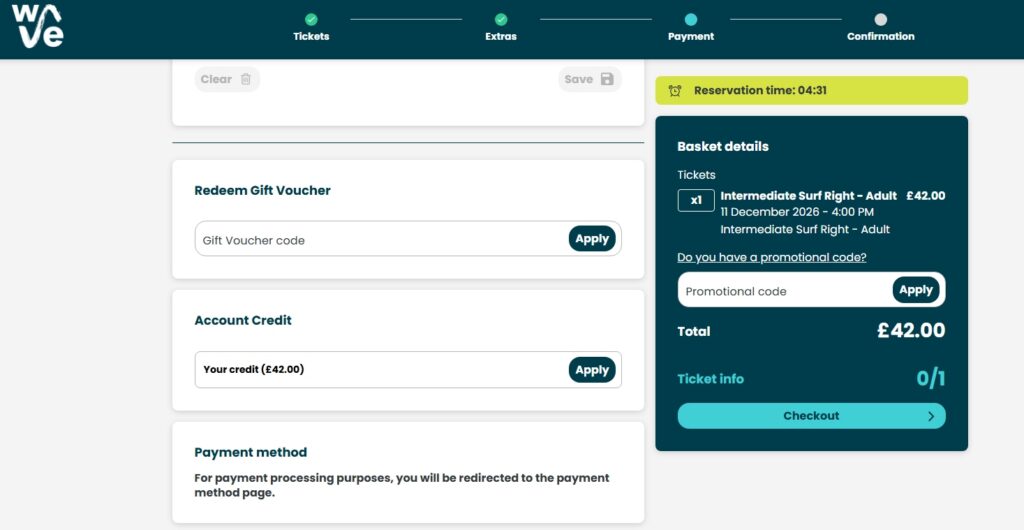
Apply your credit to the booking.
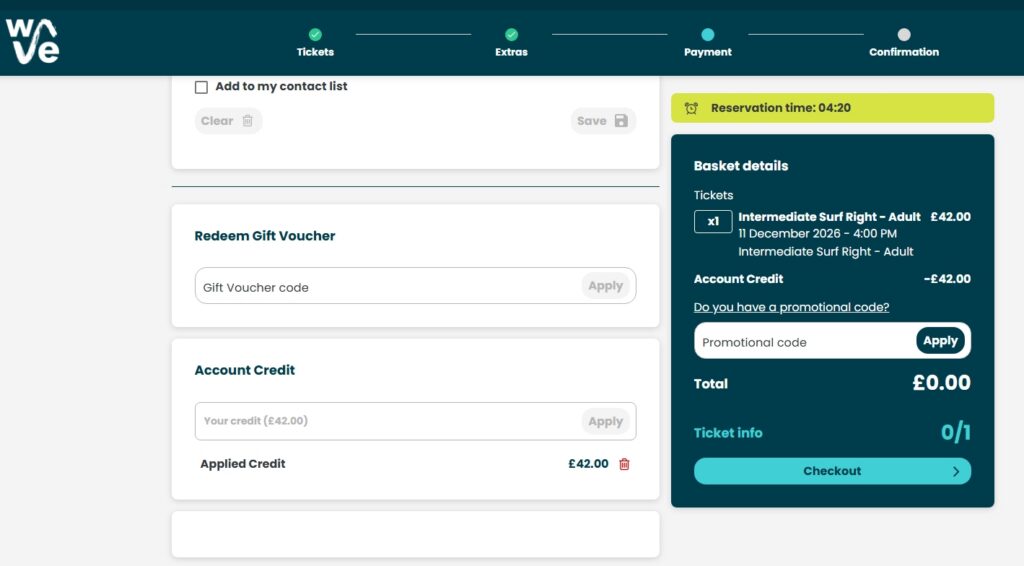
5. Checkout to complete the booking.
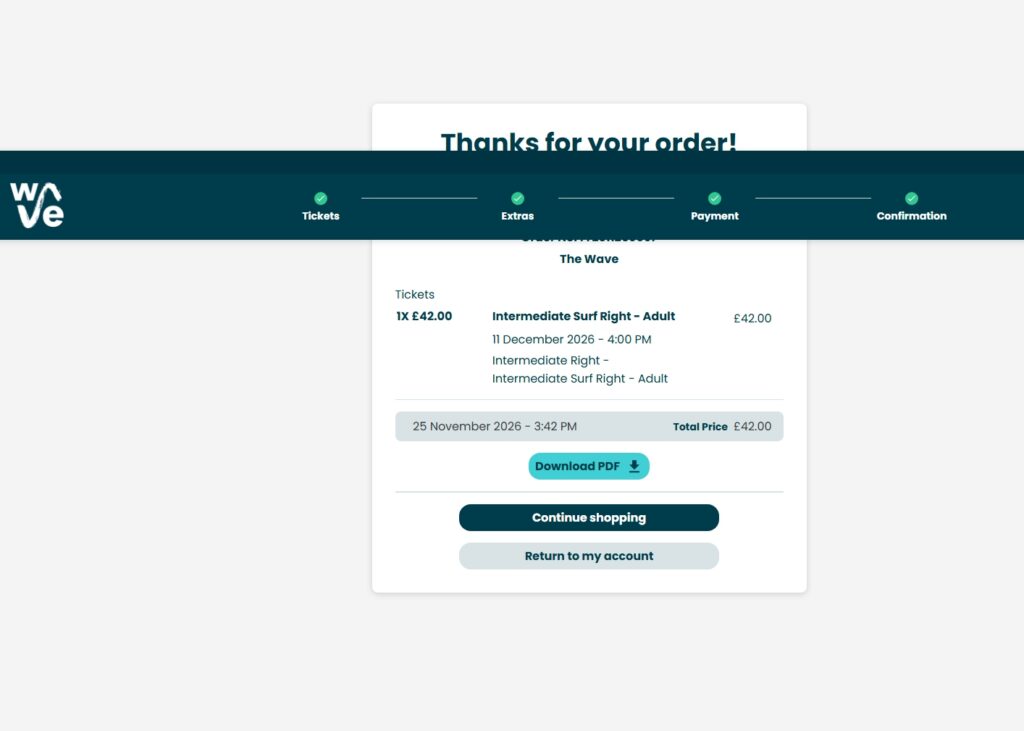
4. Pay any balance
If the basket costs more than your credit, pay the rest as normal. Any unused credit stays on your account.
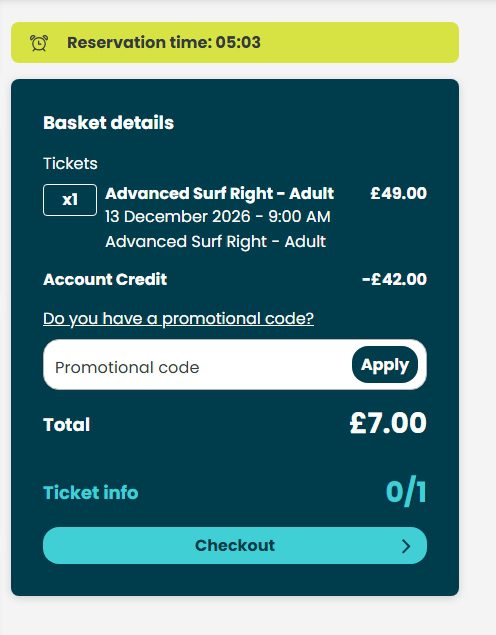
5. Check your account for the new booking.
You’ll get a booking confirmation by email, and the session will show in My Account / Manage Profile.
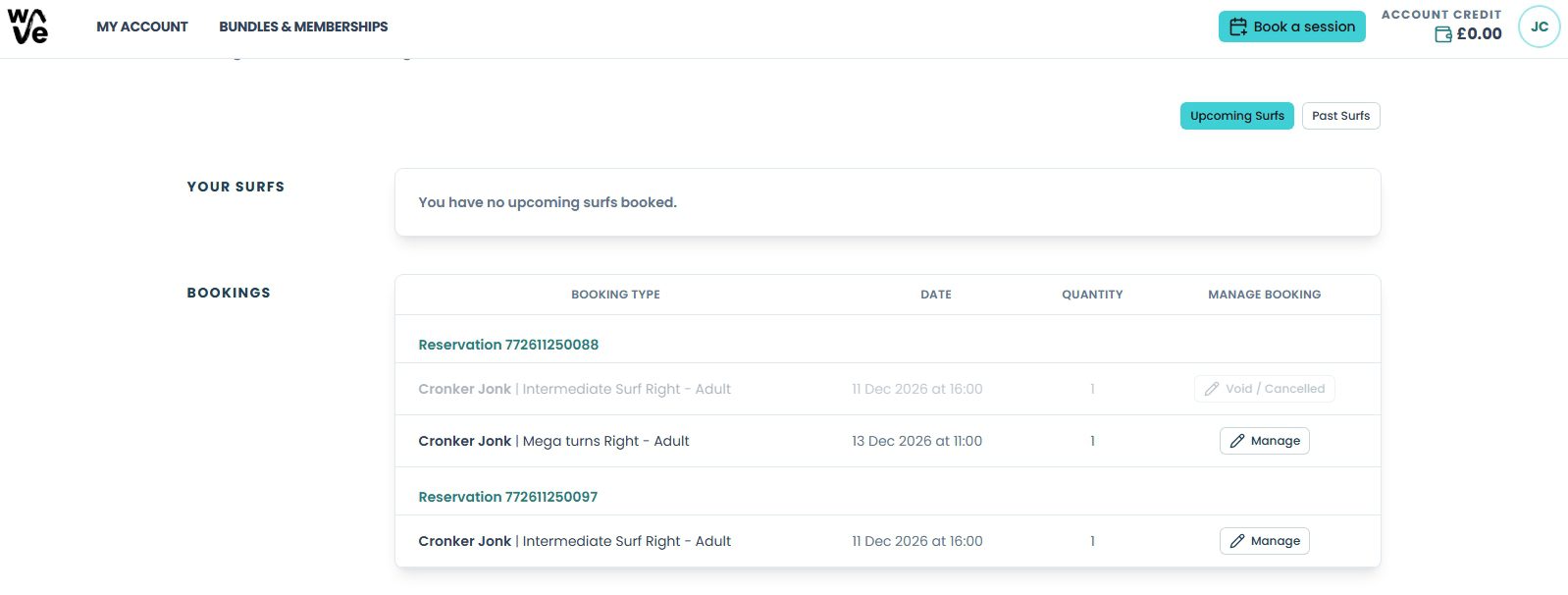
FAQs
Can I cancel my surf online?
If your booking is outside our 7-day cancellation window (24 hours for Early Bird Bundle holders), you can cancel it yourself and get credit to use on a different date, time or session.
Can someone else use my credit?
No. Credit is locked to the account it’s issued to and cannot be transferred between accounts.
Can I exchange bundle tokens or gift vouchers for credit?
No, bundle tokens and gift vouchers cannot be exchanged for credit.
Bundles: if the session is booked using a valid bundle, the token will be returned to your bundle and not given as a credit. However, if your bundle has expired since booking, you will not be able to cancel your session.
Gift vouchers: if a session is booked using a gift voucher and the gift voucher is still valid, the money will go back onto the voucher. If it has expired, the session cannot be cancelled.
You are able to use credit towards the purchase of a new bundle or gift voucher.
I want to move my surf, not cancel it.
Surfs can’t be moved. Cancel the booking and rebook using the credit added to your account.
I don’t have an account. How do I redeem my credit?
Credit can only be applied to registered accounts. Create an account at thewave.com to access your credit.
What can I use my credit on?
Credit covers surfs, surf courses, bundles and gift vouchers. It cannot be used on the café, camping, retail or the Boardroom.
Does my credit expire?
No, credit does not expire.
Can I redeem a partial amount of my credit?
Credit is applied automatically up to the value of your basket. Pay any remaining balance as normal. Any unused credit stays on your account for next time.
How do I redeem my credit?
Add a surf to your basket. Credit can be applied at the point of entering your name.
Getting to The Wave


The Camp at The Wave